Maintenance Decision Support System: When Automation Improves Triage (and When It Adds Noise)
Decision Support in Maintenance Request Systems
A maintenance decision support system predicts work type, recommended craft, and escalation needs inside a maintenance request system. It processes incoming tickets and suggests routing before a human reviews them. The approach works only when the underlying logic stays grounded in asset history. It must also reflect real failure patterns rather than generic rules. For instance, when a request mentions repeated bearing failures on a specific motor model, the system can draw from three prior work orders. It recommends the same technician crew that resolved the issue last time. This level of grounding prevents the generic suggestions that often send electricians to mechanical problems.
Many operations teams add decision support hoping to cut triage time. Yet poorly designed logic often creates extra review steps and overrides. This guide examines when automation improves routing accuracy. It also shows when it simply adds noise that technicians must correct. Consider a mid-sized food processing plant where an initial rollout suggested every vibration alert as an immediate escalation. Technicians spent more time dismissing those flags than they saved on legitimate high-priority jobs. The lesson here is that success depends on starting small. It also requires validating each rule against actual shop-floor outcomes rather than theoretical models.
Maintenance decision support system outputs remain useful when teams measure results against clear baseline metrics. They must also retain easy override paths. In practice, that means displaying the original suggestion alongside the final assignment. Supervisors can see exactly where human judgment diverged from the algorithm. Over time, these visible differences become the richest source of refinement data available to the maintenance request system.
Building Reliable Decision Logic for Maintenance Triage

Automating Decision Outcomes Like Work Classification and Escalation
Teams first decide which outcomes the maintenance decision support system should handle without constant oversight. Common targets include work classification into corrective, preventive, or predictive categories. They also include assignment of SLA tiers based on asset criticality. Escalation triggers apply when safety or production impact exceeds set thresholds. Each outcome needs a measurable definition so the system can flag its own suggestions for review. A practical tip is to begin with work classification alone. That single decision already covers roughly 60 percent of daily tickets in most facilities. Once accuracy stabilizes above 85 percent for four consecutive weeks, teams can layer in SLA tier suggestions without overwhelming reviewers.
Work classification benefits most from automation because historical work orders already contain consistent labels. A system that reads symptom text and asset type can propose the correct category in the majority of routine cases. SLA tier assignment follows similar patterns when asset data includes replacement cost and downtime cost figures. Escalation logic requires tighter governance because false positives pull senior staff into low-level issues. Tightening escalation rules to require two matching symptoms plus a production stoppage flag commonly reduces senior involvement. It still catches every genuine safety concern.
Maintenance decision support system performance improves when each automated outcome ties directly to a documented business rule. It should not rely on inferred patterns alone. Documenting these rules in plain language also helps new technicians understand why certain tickets receive priority. It reduces the number of informal questions that reach the help desk.
Required Data Inputs for Accurate Recommendations
Accurate suggestions depend on structured inputs that already exist in most CMMS platforms. Asset history supplies failure frequency and previous repair times. Failure symptom fields capture the exact wording technicians use when submitting requests. Technician notes from closed work orders reveal common root causes that keyword matching alone misses. Location data links requests to specific production lines or facility zones that affect priority. Adding even one more input, such as real-time sensor thresholds from connected equipment, can further sharpen recommendations on critical assets.
Without these four inputs the maintenance decision support system defaults to broad rules that ignore context. For example, a vibration alarm on a critical compressor carries different weight than the same alarm on a redundant pump. Asset history reveals that distinction. Symptom text that mentions “unusual noise after shutdown” points to different crafts than generic “check unit” language. Location tags allow the system to group requests by area. They avoid sending one technician across the plant for unrelated tasks. Requiring location data as a mandatory field commonly reduces average travel time between jobs. For the adjacent problem, Maintenance Help Desk Software Versus Online Maintenance Request… goes deeper into the specifics.
Maintenance request system accuracy rises when these inputs are required fields rather than optional notes. Teams that enforce this requirement during onboarding see faster adoption. Technicians quickly notice the improvement in suggested assignments.
Governance Rules to Prevent Over-Automation
Every maintenance decision support system needs explicit guardrails. Human approval thresholds define which suggestions require sign-off before tickets move forward. Confidence scoring shows technicians how strongly the logic supports each recommendation. Override logging records every change so teams can audit patterns and refine rules over time. A useful practical step is to set the initial approval threshold at 95 percent for the first month. Then gradually lower it as accuracy data accumulates.
Approval thresholds usually start high and lower only after the system proves consistent accuracy on a narrow set of request types. Confidence scores should display as percentages or simple labels such as “high,” “medium,” or “low” so users can act quickly. Override logs must capture the original suggestion, the change made, and the reason selected from a short list. These records become the training data for later rule updates. Reviewing override reasons monthly often reveals recurring misclassifications around seasonal equipment. It allows a single rule tweak that reduces unnecessary changes.
Without governance the maintenance decision support system quickly generates more exceptions than it resolves. Regular governance meetings, even if only 30 minutes long, keep the logic aligned with shifting production schedules and new equipment installations.
Connecting Outputs to Online Maintenance Request System Workflows
Decision support adds value only when its suggestions update tickets automatically inside the existing online maintenance request system. The integration passes the proposed work type, craft, and priority into the ticket record before the first human review. Dispatch rules then use those fields to place the ticket in the correct queue or suggest the next available technician. Linking the decision support layer directly to shift schedules allows automatic routing of after-hours requests to on-call staff with the matching skill set.
Maintenance help desk software benefits when the decision support layer writes directly to standard ticket fields rather than creating separate recommendation records. This keeps all information in one place and prevents version conflicts. Most platforms expose APIs that accept structured data for work type, craft skill, and SLA level. A well-designed connection also writes the confidence score as a visible field so reviewers know whether to accept or question the suggestion. Testing this connection on a sandbox environment before go-live prevents surprises when technicians begin using the mobile maintenance request app on the floor.
Integration testing should verify that every suggested change appears correctly in both the web interface and any mobile maintenance request app used on the floor. Include a test case where an override happens on the mobile app. Confirm the change syncs back to the central maintenance request system within seconds.
Measuring Success Through Before and After Metrics
Teams evaluate a maintenance decision support system by tracking misrouting reduction and re-triage rate. Misrouting counts tickets that reach the wrong craft or location and require reassignment. Re-triage rate measures how often reviewers change the system-proposed classification or priority. Both metrics need baseline values collected for at least four weeks before any automation goes live. Adding a third metric, such as first-time fix rate, often reveals whether routing improvements translate into actual repair quality gains.
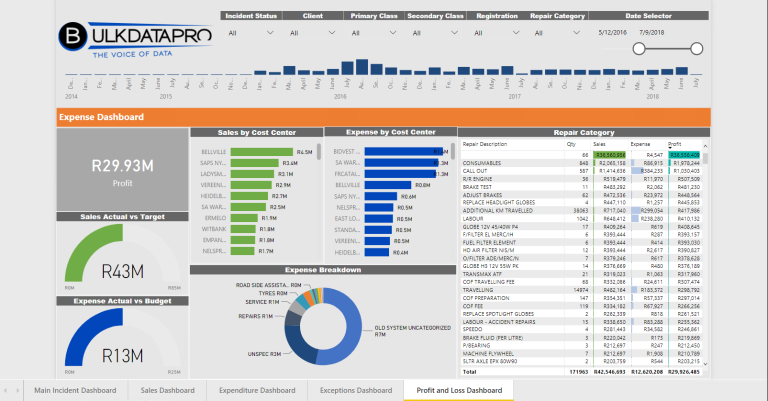
After implementation, weekly reviews compare new numbers against the baseline. A drop in misrouting from 18 percent to 7 percent indicates the logic adds value. An increase in re-triage rate above 12 percent signals that rules need adjustment. Additional useful measures include average time from request submission to first assignment. They also include the percentage of tickets that close without further escalation. Sharing these metrics on a visible dashboard encourages technicians to take ownership of the process. It prevents treating it as another layer of bureaucracy.
Maintenance decision support system projects succeed when these metrics remain visible on operational dashboards rather than buried in monthly reports. Teams that review numbers together during shift handovers catch problems faster. They celebrate incremental wins that keep momentum high.
Common Pitfalls When Rolling Out Decision Support
One frequent pitfall occurs when teams import rules from another facility without adjusting for local equipment differences. What worked at a sister plant with newer assets can generate constant overrides in an older facility. Another common issue is neglecting to train reviewers on how to interpret confidence scores. This leads them to second-guess every medium-confidence suggestion even when the underlying data is sound.
Maturity Tiers and Typical Cost Drivers
| Tier | Decision Support Features | Typical Cost Drivers |
|---|---|---|
| Entry | Basic rules for work classification and simple routing | Data cleanup of existing asset records, one-time integration setup |
| Mid | Assisted recommendations with confidence scores and human approval gates | Rule authoring workshops, ongoing override logging configuration |
| Premium | Learning loops that adjust suggestions from technician feedback | Model retraining cycles, governance training for supervisors, expanded data sources |
Entry-level deployments focus on stable request types that already follow clear patterns. Mid-tier adds visibility into why each suggestion appears. Premium tiers require sustained effort to maintain data quality and review feedback loops. Most organizations start at the mid tier because it balances automation gains against the effort needed to keep logic current. Budgeting for quarterly data-quality audits at every tier prevents the slow drift that turns accurate suggestions into noise over time.
Starting a Focused Pilot
Automate only decisions that teams can measure and override safely. A maintenance decision support system improves triage speed when it handles one narrow outcome. An example is work classification on non-critical assets. It leaves complex cases for human judgment. Run a small pilot that tracks misrouting and re-triage rates for eight weeks. Use the results to decide whether to expand the logic or refine the rules first. This measured approach prevents the noise that comes from broad, ungoverned automation. It still delivers measurable gains in routing accuracy. Document every pilot decision in a shared log so future expansions build on proven patterns rather than repeating early mistakes.
Choose a single asset class, such as HVAC units or conveyor motors, for the pilot scope. Limit the participant group to one maintenance supervisor and their direct team so feedback loops stay tight. At the end of eight weeks, calculate the net time saved per ticket. Compare it against the extra minutes spent reviewing suggestions. If the net gain exceeds 15 percent, the pilot has earned the right to expand. Otherwise, adjust rules before scaling. This disciplined checkpoint keeps the maintenance help desk software from becoming another source of frustration for technicians already stretched thin.
Related Topics
- Maintenance Request System Checklist for Mobile Field Crews: What to Capture at Intake
- Maintenance Help Desk Software Versus Online Maintenance Request System: What Changes for Users and Approvers?
- Maintenance management for mining operations: choosing a software fit for harsh environments
- CMMS on Android for field crews: when mobile maintenance fails and what to fix
- What to require in a maintenance job application workflow for mobile field teams