cmms android app: what to validate before buying
Pre-purchase testing for cmms android app on Android devices
Many industrial teams adopt a cmms android app only to discover it cannot handle real shift conditions once crews are on site. Failures often appear in offline capture. Asset lookup speed can also fail. The handoff of completed work back to planners can fail too. This guide supplies a practical test plan. Operations leaders can run it with any vendor before signing a contract. They may seek a facility management mobile app or building maintenance app. In one Midwest manufacturing plant, crews discovered after rollout that their chosen building maintenance application dropped photo attachments during shift changes. This forced technicians to re-enter data manually. It delayed compliance reports by two full days. Leaders who test these behaviors early avoid similar headaches. They keep adoption rates above 90 percent within the first month.
The checks focus on seven core behaviors. These determine whether a cmms android app will actually replace paper forms and disconnected spreadsheets in daily use. Teams that skip structured validation frequently report that crews revert to notebooks within weeks. This erases any projected efficiency gains. Running the tests on the exact Android devices used in the field also reveals hardware-specific quirks. Examples include camera resolution differences or Bluetooth pairing delays with barcode scanners.
Key validation areas for cmms android app deployment
Login and role permissions by crew and supervisor
Crew members need quick entry to the cmms android app with only the work orders assigned to their shift. Supervisors require visibility into every open task. They also need the ability to reassign items on the spot. Test that a crew login cannot view another team’s overdue items. A supervisor account can approve or reject completed work without leaving the mobile interface.
In most systems the permission matrix is set at the server level. Confirm the Android client respects those rules even after the device restarts. Ask the vendor to demonstrate a failed login attempt. It should show a clear error without exposing any asset data. Real plants often run mixed crews on the same floor. Role separation prevents accidental edits that could affect safety records.
One food-processing facility learned this lesson the hard way. A junior technician accidentally closed a critical sanitation task belonging to another shift. This triggered an audit finding that took three weeks to resolve.
Offline and intermittent connectivity behavior for incident capture
Field technicians frequently lose signal inside tanks. They also lose it behind thick walls or in remote yards. The cmms android app must queue every entry locally. It must sync without data loss once coverage returns. Create a test case where the device stays offline for thirty minutes. A technician adds a safety observation and two photos during this time. Verify the entries appear in the correct order after reconnection. Timestamps must reflect the actual time of capture rather than the sync time. Intermittent signal is common on large sites. Also check whether partial uploads resume cleanly instead of creating duplicate work orders. A reliable building maintenance application handles these conditions without forcing the user to restart the app. Practical tip: simulate a tunnel environment by placing the phone in airplane mode inside a metal shipping container for an hour. This mimics the worst real-world conditions crews will face.
Asset search speed using location and tag in cmms android app
Technicians cannot afford to scroll through hundreds of records when standing next to a pump or motor control center. The cmms android app should return results in under three seconds when the user scans a QR tag. It should also return results when the user enters a partial equipment number. Test search by physical location first. Then test by functional tag. Confirm that recent work history appears on the same screen. Many teams also filter by system type. Verify that a search for “chiller” shows only assets tagged as chillers. It must not show every motor in the same building. Slow lookup is one of the fastest ways crews revert to paper notes. In a real case at a university campus, the maintenance team reduced average lookup time from 47 seconds to under four seconds after switching to an app that supported both QR and NFC tags. This directly improved response times for after-hours calls.
Work order creation fields and required evidence
Every completed task should force capture of notes. It should also force at least one photo and any required measurements before the order can be marked done. Set up a sample work order that requires a vibration reading and a before-and-after image. Confirm the cmms android app blocks submission until those fields contain data. The photo must be stored at a resolution usable for later review. In practice this prevents incomplete records that later cause compliance issues during audits. Ask the vendor to show how the same fields behave on a supervisor override. Exceptions remain documented rather than lost. Add a practical tip here: test the camera interface under bright sunlight and low-light conditions. Field lighting varies dramatically between outdoor rooftops and mechanical rooms. This pairs well with Mobile app maintenance cost breakdown: releases, fixes, support, which works through concrete examples. A closely related walkthrough, Which CMMS Fits Your Hotel Maintenance App?, picks up where this section ends.
Status updates and handoff flow back to the dispatcher
Once a technician finishes a task the status change must reach the planning desk within one minute under normal network conditions. Test a full cycle. Start work. Add a note about a follow-up part. Then close the order. The dispatcher view should reflect the new status and any attached comments without requiring a manual refresh. Many facilities run 24-hour operations. Confirm that handoffs survive shift changes. The next crew must see the updated equipment history immediately. A smooth flow keeps planners from chasing technicians by radio or text. One refinery reported that reliable status handoffs cut radio traffic by 40 percent. Planners could then focus on scheduling instead of status chasing.
Preventive maintenance completion and linking outcomes to future PM
When a preventive task finishes, the cmms android app should automatically adjust the next due date based on the actual completion and any findings. Run a test where a technician records an abnormal reading during a routine inspection. The system must flag the asset for an earlier follow-up without manual intervention. Check that the outcome data carries forward. The next scheduled work order already references the prior measurement. This linkage is what turns routine inspections into usable condition-based triggers rather than static calendar events. For example, if a filter replacement reveals unusually high pressure, the app should schedule the next inspection in 30 days instead of the standard 90-day cycle.
Reporting exports usable by managers
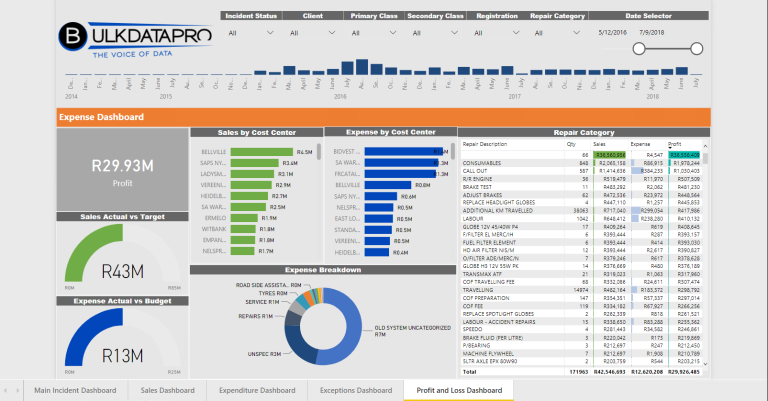
Maintenance managers need cycle time, overdue counts, and equipment downtime figures in a format they can paste into existing spreadsheets or dashboards. Generate a sample export covering the past thirty days. Verify that each column contains consistent units. Dates must align with the plant’s time zone. The export should also include a column for the technician who performed the work. Supervisors can spot training gaps quickly this way. Ask whether the cmms android app supports scheduled delivery of these reports to email or a shared drive. Managers do not have to log in daily just to pull numbers. Many organizations also request custom columns such as parts cost per work order. This tracks budget adherence in real time.
Device performance and battery impact during long shifts
Technicians often carry the same Android device for an entire 12-hour shift. The cmms android app must run efficiently without draining the battery or overheating the handset. Test a full shift simulation by keeping the app open with GPS, camera, and sync services active for eight hours. Monitor battery percentage drop during this time. Confirm that background processes pause cleanly when the screen turns off. The device must remain responsive for other plant apps. A facility management mobile app that consumes more than 25 percent battery per shift will force crews to carry spare batteries or chargers. This adds unnecessary cost and friction.
These seven checks cover the behaviors that cause the highest number of field failures after purchase. Running them during a vendor demo usually reveals whether the cmms android app will integrate with existing workflows or create new friction for crews. more details on how connected platforms handle the same data flows in larger operations.
Typical cost ranges across cmms android app tiers
| Tier | Users & Locations | Mobile Features | Integrations & Support | Monthly Range |
|---|---|---|---|---|
| Entry | Up to 25 users, single site | Basic offline capture, photo attachment | Email exports only, community support | $300–600 |
| Mid | 50–150 users, 2–4 sites | Role-based permissions, barcode scan, measurement fields | ERP connector, standard SLA, phone support | $1,200–2,800 |
| Premium | Unlimited users, multi-region | Full offline queue, custom forms, real-time dashboards | API access, dedicated success manager, on-site training | $4,500+ |
Final steps before committing to a cmms android app
The highest-risk items remain offline capture, asset lookup speed, and reliable status handoff. Any cmms android app that fails these three areas during testing will likely create more work than it removes once crews are in the field. Build a short demo script from the acceptance criteria above. Require every shortlisted vendor to complete it on actual Android devices used by your teams. This single step usually filters out platforms that look polished in a conference room but fall apart under real operating conditions. Organizations that invest the time upfront see faster adoption and fewer support tickets after go-live. Consider documenting each test result in a shared spreadsheet. Decision makers can compare vendors side by side without relying on memory.
About this guide: it draws on documented practices from industrial maintenance workflows and publicly available platform specifications to help operations teams evaluate digital tools without relying on vendor claims alone.
How long does a typical cmms android app demo take?
Most vendors can run the seven validation checks in ninety minutes when the test environment is prepared in advance. Allow extra time for network simulation and photo upload tests. Every scenario receives proper attention this way. In larger organizations, schedule a second session with actual technicians present. End-user feedback can be captured immediately.
What file formats do reporting exports usually support?
Common options include CSV for spreadsheet import and PDF for archive purposes. Some platforms also provide direct JSON feeds. These feed into existing business intelligence tools without manual conversion steps. Ask whether the cmms android app can generate Excel files with pre-formatted pivot tables. These should match your existing monthly reporting templates.
Can role permissions be changed after initial setup?
Yes, most systems allow administrators to adjust permissions through the web console. They push the update to connected Android devices on the next sync cycle. Confirm this behavior during the login test. Future organizational changes do not require new app deployments. One chemical plant updated supervisor rights across 60 devices in under ten minutes after a reorganization.
Does offline mode preserve photo quality?
Photos taken while offline are stored at the resolution set in the app settings. They are uploaded unchanged once connectivity returns. Test a few images of varying sizes. Ensure the cmms android app does not compress them beyond recognition during the queue process. Request sample photos from the vendor. These should have been captured during a real multi-day outage to verify quality retention.
How are duplicate work orders prevented during sync?
Each queued entry receives a unique local identifier. The server checks this before creating a new record. This mechanism stops the same task from appearing twice when signal returns after an extended outage. Verify that the identifier survives device restarts. Long offline periods do not create conflicts this way.
What training resources does the vendor provide for new users?
Look for short in-app tutorials, downloadable quick-reference PDFs, and optional live webinars. These focus on common field scenarios rather than every administrative feature. Facilities that require Spanish-language materials should confirm availability before signing.
How does the cmms android app handle software updates on devices in remote locations?
Most modern platforms push updates automatically when the device reconnects to Wi-Fi. You should verify that critical patches can be forced through the mobile data connection if needed. Ask whether updates can be staged. Only a pilot group receives them first.
Related subtopics
- cmms programs
- cmms mobile apps
- facility management mobile app
- building maintenance application
- mobile app maintenance
- industrial maintenance software selection
- field service app evaluation checklist
- Facility management system software features that prevent duplicate work orders
- Which CMMS or facilities management system fits a hotel maintenance team?
- Oracle Fusion Maintenance Cloud vs schooldude maintenance direct app for asset tracking workflows
- Maintenance management for mining operations: choosing a software fit for harsh environments
- CMMS on Android for field crews: when mobile maintenance fails and what to fix