From spreadsheet to fleet software: migrate fleet maintenance records
Preserving work order context when moving truck service history

Many fleets still track service events in spreadsheets, scattered PDFs, and email threads. When teams attempt to move those records into fleet management system software, the rows often transfer but the meaning disappears. Work order status, timestamps, and odometer or hour-meter logic get stripped away. This leaves preventive maintenance schedules broken and compliance history incomplete. Fleet maintenance records lose their value the moment context is lost during import. For instance, one regional trucking company discovered this after migration. Brake inspection dates from their old spreadsheet had shifted into generic notes fields. This forced them to manually reconstruct three months of history before an audit. This common issue highlights why preserving every detail matters right from the start.
The problem shows up quickly. A technician opens a new work order only to discover the last brake job date is missing. The meter reading may sit in the wrong column. Operations leaders then face gaps that audits expose and downtime multiplies. This article walks through a single workflow that keeps fleet maintenance records usable from the first import onward. In practice, fleets using vehicle fleet maintenance software free download trials often notice these gaps during the testing phase. This gives them time to refine their process before committing to a paid fleet management system software platform.
Moving fleet maintenance records from spreadsheets to fleet management system software succeeds. Each step protects status, dates, and meter values. It avoids treating them as plain text. Teams that treat the process as a simple copy-paste quickly learn a lesson. Context around labor costs and parts traceability disappears. This turns what should be a productivity boost into a compliance headache.
Consider a practical example from a mid-size fleet that migrated 1,200 work orders last year. By focusing on meter logic during the transfer, they maintained accurate intervals for oil changes across their 85 tractors. This avoided the cascade of missed services that plagued competitors who rushed the import.
A practical migration sequence for service history

Fleet Maintenance Records: Step 1
Inventory your current sources and define one source of truth for truck maintenance records
Begin by listing every place fleet maintenance records currently live. That usually includes multiple spreadsheets, folders of completed work orders saved as PDFs, and email chains that contain parts lists or technician notes. Assign one master file or database as the single source of truth before any data moves. Without this step, duplicate entries multiply and conflicting dates appear later. In most fleets the master file ends up being the spreadsheet that already holds the highest number of complete work orders with meter readings attached. A useful tip is to create a simple inventory log noting file names, last update dates, and number of rows so nothing slips through the cracks during the handoff.
Step 2: Define the asset model for fleet management system software
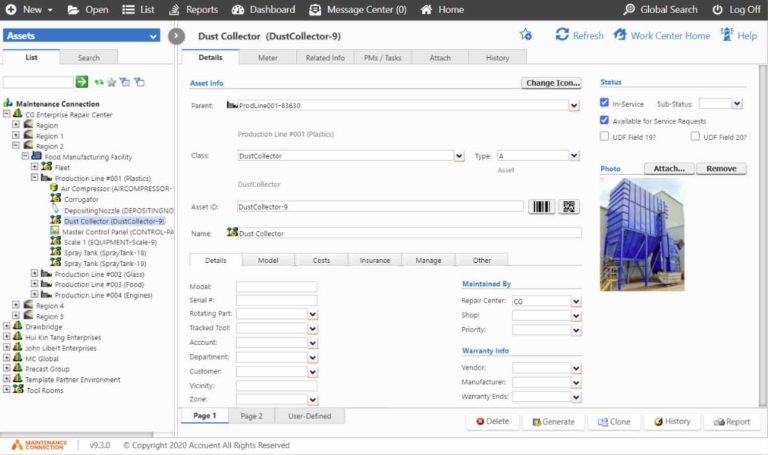
Next, create a clear asset hierarchy that fleet management system software can recognize. List every truck by VIN or unit number. Add trailers as separate assets when they carry their own service schedules. Identify major components such as engines or lift gates that need individual tracking. This model prevents records from attaching to the wrong vehicle during import. Teams that skip this step commonly discover that trailer brake jobs appear under the wrong tractor number after migration. One fleet manager shared how properly tagging lift gates as sub-assets helped them track warranty claims separately. This saved thousands in unexpected repair costs during the first year post-migration.
Step 3: Map your old fields to required fields
Compare every column in the source spreadsheet against the fields the new system requires. Match work order number, open and close dates, labor hours, parts used, technician name, notes, and meter readings. Note which columns contain status values such as completed or deferred. A simple mapping table created in advance keeps the import script from placing odometer values into a text notes field. Accurate mapping preserves the logic that preventive maintenance uses to calculate next due dates. Practical tip: test your mapping with a single row first in a spreadsheet tool before scaling. Always back up the original file to allow quick reversals if needed. The operational side is something this guide expands on with real numbers. The follow-up piece Fleet checklist for truck maintenance software free options covers this in more practical detail.
Step 4
Clean duplicate drivers, technicians, and standardize maintenance categories
Run a deduplication pass on driver and technician names so the same person does not appear under three different spellings. At the same time, group maintenance tasks into standard categories such as preventive, corrective, or regulatory inspection. Consistent categories let fleet management system software generate reliable reports later. Fleets that skip standardization find that labor cost reports split the same brake job across three different task names after migration. For example, renaming “brake service” and “brake repair” to a unified “brake inspection” category allowed one operation to produce clean quarterly reports that impressed their insurance auditor.
Step 5: Import a small pilot set and validate record completeness
Load the first twenty work orders into a test environment. Check that every date, meter reading, and status value appears correctly and that attachments remain linked. Compare the imported work order against the original spreadsheet row by row. This pilot catches mapping errors before the full set moves. Most teams discover at least one date format mismatch or a missing status field during the pilot. A good practice is to involve both a technician and an admin in the validation to catch usability issues that pure data checks might miss.
Step 6
Rebuild preventive maintenance schedules using your interval rules
Once the pilot validates, rebuild the preventive maintenance schedules inside the new system using the same interval rules that existed in the spreadsheet. Enter mileage, hour, or calendar triggers exactly as they were defined before. Test that the system generates the next work order at the correct meter reading. Without this rebuild, trucks that were due for service in the old file appear with no future tasks scheduled. Fleets exploring truck fleet maintenance software free download options often use this step to compare how different platforms handle interval logic before final selection.
Step 7
Configure mobile field data capture so service history continues after go-live
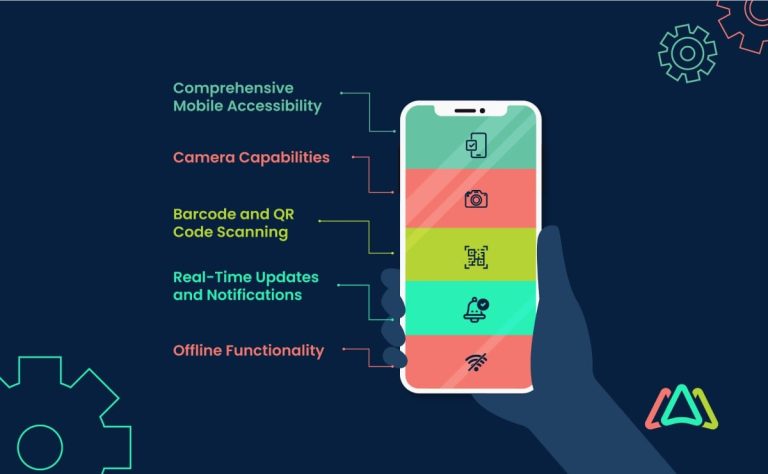
Set up the mobile workflow that technicians will use on the shop floor. Define permission levels so only qualified users can close work orders. Set status rules that prevent a job from moving to completed without a meter reading. This configuration ensures new fleet maintenance records continue to feed the system after the migration date. Without mobile rules in place, paper forms often reappear within the first month. Consider adding quick-reference cards in the shop that outline the exact steps for entering meter readings on tablets to speed adoption.
Step 8
Run post-migration audits and fix missing history before full rollout
After the full import, run a series of audits that compare a sample of imported records against original source documents. Look for missing labor hours, incomplete parts lists, or status values that defaulted to open. Fix every gap before turning the system over to daily operations. Fleets that complete this final audit report far fewer compliance questions during the first external inspection. One tip is to schedule the audit for a quiet afternoon when staff can focus without operational interruptions.
Additional considerations for long-term record keeping success
After completing the eight steps, schedule quarterly reviews of your fleet maintenance record keeping processes inside the new platform. This keeps data quality high as your fleet grows and helps identify any new fields or categories that may need mapping in future updates.
Common pitfalls that break record usability
- ❌ Wrong: Importing rows without confirming that each vehicle has a unique identifier already in the system.
✅ Right: Run a pre-import check that every VIN or unit number exists as an asset before any work order attaches. - ❌ Wrong: Leaving date formats untouched so timestamps shift across time zones.
✅ Right: Standardize all dates to the same format and time zone during the mapping step. - ❌ Wrong: Treating free-text notes as complete service records without extracting meter values.
✅ Right: Parse meter readings out of notes into dedicated fields before import.
One middle paragraph here references this guide for deeper detail on connecting field data to a unified namespace that keeps maintenance history continuous. Adding a fourth common mistake to avoid is failing to train end users on the new interface. This can lead to inconsistent data entry right after go-live and undo weeks of careful migration work.
Preparing a migration checklist for vendor discussions
Successful migration keeps fleet maintenance records usable while preserving the scheduling logic that prevents unplanned downtime. The eight steps above protect status, dates, and meter values at every stage. Teams that follow the sequence finish with a working preventive maintenance program instead of a collection of orphaned rows. Prepare a short checklist that lists your current sources, asset model, mapped fields, and mobile rules before meeting with any fleet management system software vendor. That checklist turns vendor demos into focused conversations about your actual data rather than generic features. The result is a live system that supports daily operations from day one. Many operators also include notes on desired integrations with existing telematics devices so the conversation covers real-world data flow from the outset.
When evaluating options, some fleets test concepts with a truck fleet maintenance software free download or vehicle fleet maintenance software free download trial to confirm the platform handles their specific interval rules before full commitment. This extra preparation step often leads to smoother onboarding and higher user adoption across the entire team.
- Fleet asset management software decision checklist for teams comparing “free” options
- Oracle Fusion Maintenance Cloud vs schooldude maintenance direct app for asset tracking workflows
- Maintenance management for mining operations: choosing a software fit for harsh environments
- CMMS on Android for field crews: when mobile maintenance fails and what to fix
- Maintenance Request System Checklist for Mobile Field Crews: What to Capture at Intake