Web based preventive maintenance software vs Maximo-ready or mobile-first?
Browser access for planners and technicians
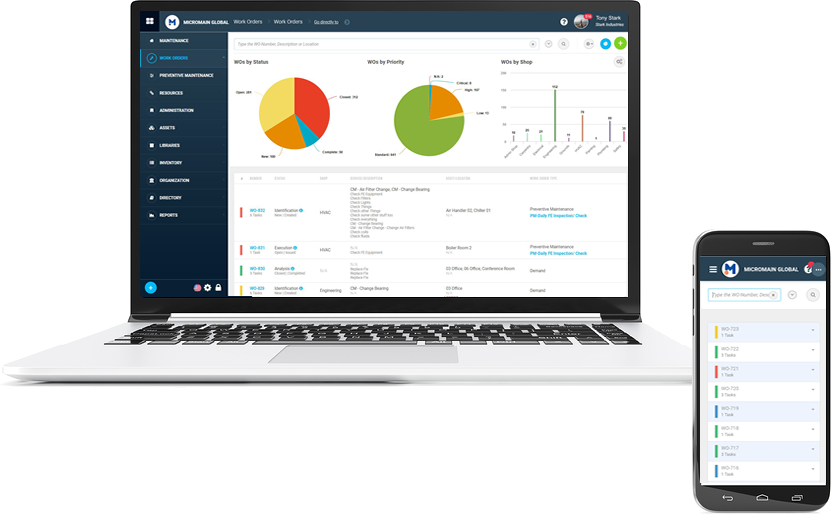
Industrial teams face constant pressure to keep assets running without unexpected downtime. Choosing the right tools starts with understanding how access models affect daily work. Web based preventive maintenance software gives planners and technicians browser access from any connected device. It often replaces scattered spreadsheets and paper logs that create version errors. At the same time, organizations already invested in enterprise systems may prefer preventive maintenance in maximo for seamless data flow. Field crews, however, frequently need a preventive maintenance app that works when signals drop.
The decision usually comes down to three practical questions. Does the team require always-on web access for approvals? Will the system integrate with existing Maximo records? Can technicians complete checks on phones or tablets without extra training? Answering these points early prevents costly switches later. Many facilities test options first through trial periods or preventive maintenance software free versions before full rollout.
Web based preventive maintenance software delivers centralized scheduling that updates in real time across shifts. It supports compliance records that regulators often request during audits. Yet the same platform may lack strong offline modes when crews enter remote areas. Understanding these trade-offs helps match software to actual site conditions rather than marketing claims.
Web based preventive maintenance software works best when your teams need centralized access without installing apps, while Maximo-ready options suit enterprises already using IBM Maximo, and mobile-first apps excel for field technicians who work offline.
Comparison Table
| Software option | Best fit for | Preventive maintenance scheduling & work orders | Technician mobile usability | Reporting and compliance logs | Web access only vs offline support | Integration support (including Maximo considerations) | Trial or “software free” availability | “free download” availability | Predictive maintenance applications readiness |
|---|---|---|---|---|---|---|---|---|---|
| Web based preventive maintenance software | Office-based planners needing live dashboards | Automated recurring schedules with approval workflows | Browser responsive on phones but requires connection | Exportable PDF and CSV logs stored centrally | Web access only, no native offline mode | API connections to ERP and some CMMS platforms | 30-day trials common, limited software free tiers | Rare, usually cloud subscription only | Basic trend data export for later analysis |
| Preventive maintenance software free | Small teams testing basic scheduling | Limited templates, manual reminders only | Simple forms that work on shared devices | Basic history lists without audit trails | Web access only in most free editions | Minimal, rarely supports Maximo links | Fully software free with usage caps | Available as web app, no install file | None included |
| Preventive maintenance in maximo | Large plants already running IBM Maximo | Advanced job plans tied to asset hierarchies | Mobile add-on available but requires license | Strong regulatory logging and signature capture | Web primary, offline via Maximo Anywhere module | Native Maximo integration by design | Usually enterprise quote, no software free option | Not offered as free download | Full predictive modules available as add-ons |
| Preventive maintenance app | Distributed field crews on the move | Push notifications for upcoming tasks | Native iOS and Android apps with offline sync | Photo attachments and timestamped entries | Strong offline support with later sync | Connects to various CMMS via APIs | Free trial periods, some freemium tiers | Direct app store downloads available | Limited sensor data ingestion |
| Maintenance app for android | Android-heavy technician fleets | Route-based task lists updated daily | Optimized for rugged Android handhelds | Simple export to shared drives | Offline first design with cloud sync | Works with several backend systems | Free basic version offered | Google Play free download option | Emerging IoT connectors in paid upgrades |
| Facility management app | Multi-site building operators | Room and equipment specific checklists | QR code scanning for quick asset lookup | Compliance reports per location | Hybrid web and app access | Links to work order systems | Trial accounts available | App store presence | Basic analytics dashboards |
| Maximo maintenance software | Complex asset environments | Detailed preventive plans with labor tracking | Mobile interface requires separate setup | Enterprise-grade audit history | Primarily web with optional offline | Deep Maximo and ERP ties | Enterprise licensing only | No free download | Advanced predictive analytics modules |
| Predictive maintenance applications | Teams adding condition monitoring | Combines time-based and sensor-triggered tasks | App views for alerts and readings | Combined preventive and predictive logs | Web plus mobile with partial offline | Sensor platform and Maximo connectors | Proof-of-concept trials | Limited free tiers | Core strength with ML models |
Web based preventive maintenance software appears in the first row because it serves teams that value browser simplicity. The table shows how each choice handles scheduling, mobility, and reporting differently. Facilities can scan rows to match their main pain points before requesting demos.
Pros and Cons
Lean facilities wanting a preventive maintenance app quickly
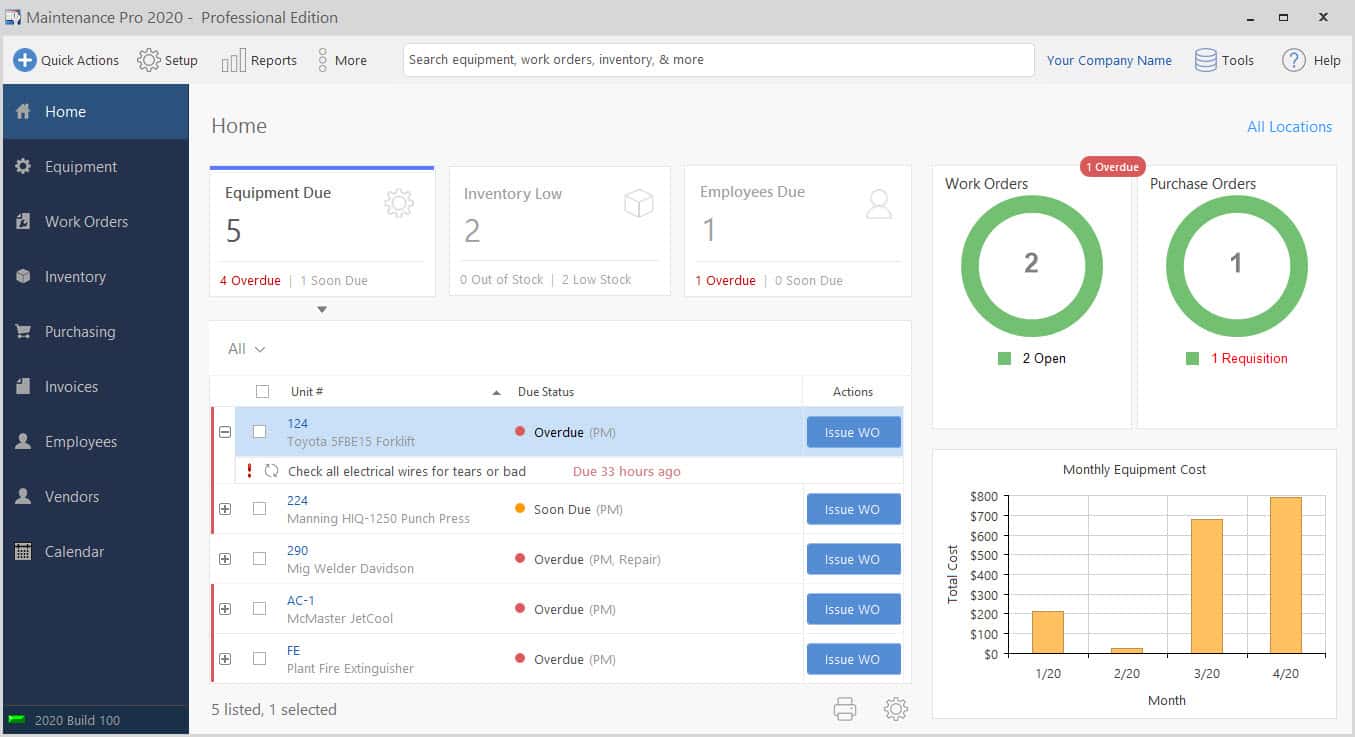
Small operations often choose a preventive maintenance app because setup takes days rather than weeks. They gain mobile checklists and photo proof without heavy IT involvement. Yet these tools may lack deep reporting when auditors visit. Data export options stay basic compared with enterprise platforms. Teams sometimes outgrow the free tier once asset counts rise. The operational side is something Vardian expands on with real numbers.
Regulated sites needing audit logs
Plants under strict oversight prefer systems with built-in signature capture and time-stamped entries. Web based preventive maintenance software can meet many requirements when paired with proper user permissions. Still, offline gaps appear during network outages at remote units. Compliance teams must verify export formats match agency templates. Extra validation steps add time during initial rollout.
Maximo-linked workflows needing preventive maintenance in maximo
Organizations running IBM Maximo already keep asset histories in one place. Adding preventive maintenance in maximo keeps job plans and costs inside the same database. The trade-off comes from licensing fees and the need for trained administrators. Mobile features require extra modules that increase project scope. Smaller sites may find the full stack heavier than needed.
Teams evaluating predictive maintenance applications alongside preventive plans
Groups ready to layer sensor data onto time-based tasks look at predictive maintenance applications. These platforms merge vibration readings with scheduled inspections inside one calendar. Integration work with existing CMMS can stretch timelines. Data quality depends on sensor placement accuracy from the start. Budgets must cover both software and hardware calibration.
Trial checks for access, reporting, integrations
Start by listing your access model, scheduling accuracy targets, reporting needs, and integration requirements on a single page. Test web based preventive maintenance software against these items during the trial window. Confirm any software free limits on work order volume before committing. Compare how each option handles preventive maintenance in maximo links if your plant already uses that system. A short pilot with one crew reveals usability gaps faster than feature checklists alone.
Reach out to vendors to compare trial options and confirm software free terms directly. This step prevents surprises after the contract is signed. Many teams also review maintenance app for android and facility management app choices in the same evaluation cycle to cover every workflow angle.
Frequently Asked Questions
How does web based preventive maintenance software handle offline work orders?
Most web platforms pause when connections drop and resume once service returns. Some add lightweight caching so technicians can view assigned tasks. Full offline editing usually requires a companion mobile app instead. Check vendor documentation for exact caching limits before deployment.
Can preventive maintenance in maximo replace a separate preventive maintenance app?
Maximo includes mobile extensions that cover many field tasks. The extensions still need separate licensing and configuration. Teams with light mobile needs sometimes stay inside the core web interface. Heavier field use often leads to the dedicated app route.
Is preventive maintenance software free suitable for regulated industries?
Free tiers rarely include the audit logging and electronic signatures required by regulators. They work for internal tracking in low-risk settings. Any site facing external audits should budget for paid compliance features from the start.
What integration effort is typical when adding predictive maintenance applications?
Sensor data streams must map to asset records already in the CMMS. This mapping step often takes several weeks of mapping and validation. Data historians and alert rules add further configuration time. Budget both IT hours and calibration checks on equipment.
Does a maintenance app for android support barcode scanning?
Many Android apps include built-in camera scanning for asset tags. Accuracy depends on lighting and label condition in the field. Rugged devices with dedicated scanners improve read rates on dirty surfaces. Test labels during the trial period to confirm performance.
Related subtopics
- erp fleet maintenance software
- maximo maintenance software
- paper based maintenance system
- accruent cmms
- fleet maintenance record software
Teams weighing options often review how Vardian supports connected workflows across maintenance and operations. The approach described at Vardian covers this step in more depth for multi-site rollouts. Real examples from similar plants show faster adoption when user roles match daily tasks exactly.
- Top evaluation criteria for a preventive maintenance app when maintenance teams actually use it
- Preventive vs predictive maintenance applications: how to connect both without duplicating work orders
- What should a salesforce maintenance schedule cover for recurring jobs and handoffs?
- Mining, food processing, and school maintenance: choosing a maintenance system by constraints
- Verisae maintenance app vs Oracle Fusion maintenance cloud: what breaks first in real plants?
{“@type”:”FAQPage”,”@context”:”https://schema.org”,”mainEntity”:[{“name”:”How does web based preventive maintenance software handle offline work orders?”,”@type”:”Question”,”acceptedAnswer”:{“text”:”Most web platforms pause when connections drop and resume once service returns. Some add lightweight caching so technicians can view assigned tasks. Full offline editing usually requires a companion mobile app instead. Check vendor documentation for exact caching limits before deployment.”,”@type”:”Answer”}},{“name”:”Can preventive maintenance in maximo replace a separate preventive maintenance app?”,”@type”:”Question”,”acceptedAnswer”:{“text”:”Maximo includes mobile extensions that cover many field tasks. The extensions still need separate licensing and configuration. Teams with light mobile needs sometimes stay inside the core web interface. Heavier field use often leads to the dedicated app route.”,”@type”:”Answer”}},{“name”:”Is preventive maintenance software free suitable for regulated industries?”,”@type”:”Question”,”acceptedAnswer”:{“text”:”Free tiers rarely include the audit logging and electronic signatures required by regulators. They work for internal tracking in low-risk settings. Any site facing external audits should budget for paid compliance features from the start.”,”@type”:”Answer”}},{“name”:”What integration effort is typical when adding predictive maintenance applications?”,”@type”:”Question”,”acceptedAnswer”:{“text”:”Sensor data streams must map to asset records already in the CMMS. This mapping step often takes several weeks of mapping and validation. Data historians and alert rules add further configuration time. Budget both IT hours and calibration checks on equipment.”,”@type”:”Answer”}},{“name”:”Does a maintenance app for android support barcode scanning?”,”@type”:”Question”,”acceptedAnswer”:{“text”:”Many Android apps include built-in camera scanning for asset tags. Accuracy depends on lighting and label condition in the field. Rugged devices with dedicated scanners improve read rates on dirty surfaces. Test labels during the trial period to confirm performance.”,”@type”:”Answer”}}]}