Which Cmms Software List Fits Your Maintenance Team?
Choosing CMMS list by access patterns

Maintenance teams face a practical choice. They pick tools that match how work actually happens on the floor and in the field. Managers often review and approve requests from a desktop. Technicians close jobs from a phone or tablet right next to the asset. The decision centers on access patterns rather than feature checklists alone.
A cmms software list helps organizations sort options. Each style delivers work orders, asset data, and reports to the right people at the right moment. Different teams need different entry points depending on whether most activity stays in the office or spreads across remote sites.
For instance, a manufacturing plant with fixed workstations might lean toward web based cmms because planners rarely leave their desks. A utility company sending crews to distant substations benefits from mobile cmms that works even when cellular signals fade. Consider your daily rhythms before committing. Ask how many technicians spend more than half their shift away from reliable Wi-Fi. Also ask how often approvals require immediate data from the floor.
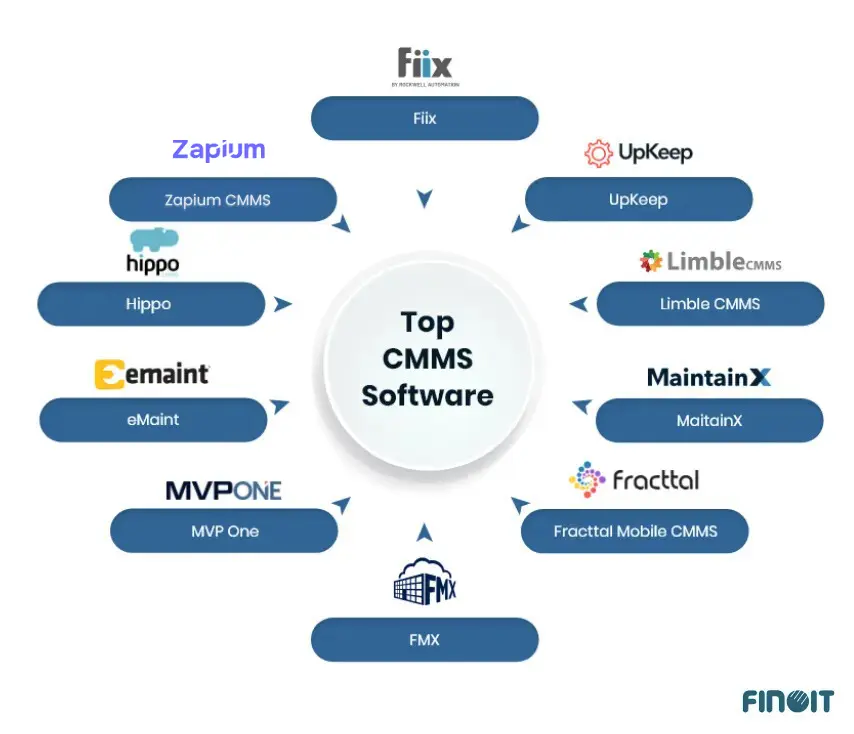
Web platforms suit planners who stay near a desk. Mobile cmms versions let crews capture notes without returning to a workstation. Standalone apps can combine both worlds or focus tightly on one workflow. The cmms software list below compares these models across real maintenance scenarios. Examples include preventive scheduling, offline data capture, and integration with existing systems. Teams that match the deployment style to daily movement patterns usually see faster adoption and cleaner asset histories. Switching from paper logs to a mobile cmms app often cuts average work-order closeout time dramatically. Technicians can attach photos and parts usage on the spot instead of transcribing notes later. Practical tip: run a two-week pilot with three technicians. Use the shortlisted maintenance management system software on actual assets to surface friction points early.
Understanding Access Patterns in Daily Operations
Access patterns reveal themselves through simple observation. Track where work orders originate and where they close for one full week. If seventy percent of requests come from the shop floor but close in the office, a hybrid cmms app that supports both entry points reduces double-handling. Many facilities teams adopt web based cmms for compliance reporting yet equip technicians with a lightweight cmms app for emergency calls. The result is often faster response times during off-hours. The mobile interface pushes priority tickets directly to on-call phones without requiring login from a desktop terminal. The follow-up piece Facility management app choices: what to verify before rollout covers this in more practical detail. For the adjacent problem, Which maintenance app for android fits field crews? goes deeper into the specifics. For the adjacent problem, Web based preventive maintenance software vs Maximo-ready or… goes deeper into the specifics. A closely related walkthrough, Maximo maintenance software: preventive, predictive, or both?, picks up where this section ends. The follow-up piece cmms mobile apps rollout plan for web based cmms covers this in more practical detail. A closely related walkthrough, CMMS application or cmms app: how to choose between web based, open…, picks up where this section ends. The follow-up piece Which CMMS Fits Your Hotel Maintenance App? covers this in more practical detail. This pairs well with From Submit Button to Dispatch: Implementing an Online Maintenance…, which works through concrete examples. For the adjacent problem, When CMMS Workflows Break: Building a Maintenance Request System That… goes deeper into the specifics.
Comparison

Deployment style determines how quickly information moves between the office and the shop floor. The table below places common options side by side. Readers can scan access points, data capture methods, and typical use cases. Every row draws from how these tools operate in commercial environments today. When evaluating the cmms software list, pay special attention to how each option handles the handoff between planning and execution. A web based cmms might excel at generating monthly compliance reports. Yet it can leave field crews frustrated if they must walk back to a shared computer to log completion details. Conversely, a mobile cmms shines during shift handovers. Technicians can update status while standing beside the asset. This reduces the chance that critical observations get lost in verbal relays.
| Option | Deployment model | Typical access (office/field) | Work order capture | Asset and preventive scheduling | Reporting availability | Offline support notes | Integration friendliness | Best-fit maintenance scenario |
|---|---|---|---|---|---|---|---|---|
| Web-based CMMS | Browser platform | Office primary, limited field | Forms filled at desk | Strong calendar tools | Instant dashboard exports | Requires connection | Good API options | Central planning teams |
| Mobile CMMS app for technicians | Phone or tablet app | Field primary, sync later | Photos and notes on site | Task lists pushed to device | Syncs when online | Works without signal | Varies by vendor | Roaming repair crews |
| Full maintenance management apps | Hybrid platform | Both office and field | Web or app entry | Full preventive modules | Real-time and scheduled | Partial offline modes | Enterprise connectors | Mixed facility teams |
| CMMS application (platform-style) | Cloud or on-premise | Flexible depending on setup | Custom forms | Rule-based triggers | Built-in analytics | Configurable cache | High | Standardized processes |
| CMMS open source web based | Self-hosted browser | Office with some field access | Manual entry dominant | Basic scheduling | Custom reports needed | Limited | Requires development | IT-savvy small teams |
| IBM Maximo CMMS | Enterprise platform | Office and mobile clients | Structured work orders | Advanced asset tracking | Extensive dashboards | Offline mobile available | Strong ERP links | Large asset-heavy sites |
| Accruent CMMS | Cloud and on-premise | Office focus with apps | Workflow approvals | Lease and asset modules | Compliance reports | App offline mode | Real estate integrations | Facilities with compliance needs |
| Fiix CMMS app | Cloud mobile first | Field and office | Quick mobile tickets | Simple preventive lists | Basic export tools | Good offline cache | Light API | Small to mid-size plants |
| Hippo CMMS mobile app | Web plus app | Both locations | Photo attachments | Recurring schedules | PDF and email reports | Limited offline | Moderate | Teams needing quick starts |
| Limble CMMS app | Cloud mobile | Field heavy | Barcode scanning | Drag-and-drop tasks | Live metrics | Offline entry | Zapier and API | Fast-growing operations |
| Connect CMMS | Web and mobile | Mixed use | Form-based entry | Standard PM plans | Export options | Basic sync | Simple connectors | Small maintenance groups |
| IFS CMMS software | Enterprise suite | Office and field clients | Detailed work orders | Full asset lifecycle | Advanced analytics | Offline capable | ERP and IoT ready | Complex industrial sites |
| IBM CMMS | Maximo-based platform | Office plus mobile | Structured capture | Condition monitoring | Deep reporting | Mobile offline | High enterprise fit | Global asset fleets |
Web-based entries dominate when most approvals and scheduling happen at a central desk. Field teams that spend hours away from Wi-Fi benefit from apps. These apps store data locally and sync later. The cmms software list shows that hybrid options reduce friction for organizations. Such organizations split time between planning and execution. Integration scores rise when vendors publish clear APIs. These APIs connect to existing ERP or IoT feeds. Offline notes matter most in plants where signal drops inside metal buildings or remote yards. A practical way to test this is to walk the facility with a signal-strength app. Note dead zones near large equipment or in basements. Teams that ignore these gaps often discover incomplete asset histories after rollout.
Key Factors in Choosing Deployment Models
Beyond the table, consider device lifecycle costs and training curves. A maintenance management system software that requires rugged tablets adds upfront expense. It may pay for itself through fewer damaged phones in harsh environments. Another factor is change management. Technicians accustomed to paper may resist a full mobile cmms until they see how barcode scanning eliminates manual typing. Start with the simplest workflow from the cmms software list that solves the biggest daily pain point. Then expand features once adoption stabilizes.
Strengths and Weaknesses

| Style | Strengths | Weaknesses |
|---|---|---|
| Web-based | Fast rollout, centralized data, easy updates | Poor offline access, device dependence for field staff |
| Mobile/app-based | Real-time capture at the asset, higher completion rates | Requires device management, sync conflicts possible |
| Open source web based | Low license cost, full code control | Support falls on internal team, slower feature growth |
Web platforms reach deployment speed quickly because they need only a browser and login credentials. Data stays consistent when everyone works from the same server records. Field crews, however, lose time when they must return to a connected workstation to log completion. Mobile cmms tools reverse that pattern by letting technicians close jobs on the spot. Device management and battery life become new concerns that IT teams must track. Open source web based choices avoid recurring fees yet shift maintenance and security work onto the organization itself. Standardization of asset histories improves when one system serves as the single source of truth across all shifts. In practice, enforcing a single cmms app across facilities often eliminates duplicate entries. These entries previously appeared in separate spreadsheets.
Real-World Examples of Trade-Offs
A food-processing plant might choose a web based cmms for its strong audit trails yet add a mobile cmms module for crews working in areas with spotty connectivity. The hybrid approach preserves compliance records while allowing quick task logging. A small open-source web based deployment at a municipal site might involve an IT-savvy team customizing preventive maintenance triggers. The trade-off can be several months of internal development time before the system matches commercial cmms app features.
Wrapping Up
Office-heavy planning teams usually gain the most from web-based entries that keep scheduling and reporting in one browser view. Field-heavy execution groups perform better with mobile cmms or full apps that travel with the technician. The cmms software list above gives a starting point for matching access style to daily movement patterns. Shortlist options that support the required offline window and integration points before requesting demos. Confirm that the chosen deployment model aligns with existing devices and network conditions at each site. Before final selection, involve both planners and technicians in the demo process. The tool reflects actual workflows rather than assumptions made in the conference room.
Next Steps After Shortlisting
Once you narrow the cmms software list to two or three candidates, request a sandbox environment. It mirrors your asset count and user roles. Run a side-by-side test on the same set of preventive tasks to compare time-to-complete metrics. Document any integration gaps with your current ERP or IoT sensors early. Vendor support can address them before contract signing. This measured approach often prevents costly rework six months after go-live.
You May Also Like
- What should a salesforce maintenance schedule cover for recurring jobs and handoffs?
- Mining, food processing, and school maintenance: choosing a maintenance system by constraints
- Verisae maintenance app vs Oracle Fusion maintenance cloud: what breaks first in real plants?
- Set up a maintain application workflow using paper based maintenance without losing control
- Which maintenance application fits your reliability workflow: web based, CMMS, or schedule-only?